
iOS
Your cloud shows up in Files on iPhone and iPad as a separate location. Encrypted vaults open only in the DiscoDrive app.
There are several apps because the jobs differ. A working folder is best kept fully in sync. A large collection is better browsed on the server and downloaded one file at a time. Private documents belong in an encrypted vault.
They all connect to the same server, so each device can use whichever suits it.
Folder sync is built into the DiscoDrive apps for macOS, Windows, Linux, iOS and Android. Change a file in the folder and it changes on the server, and the other way round.
The app shows your entire storage but only downloads what you open. A large collection will not fill up your laptop.
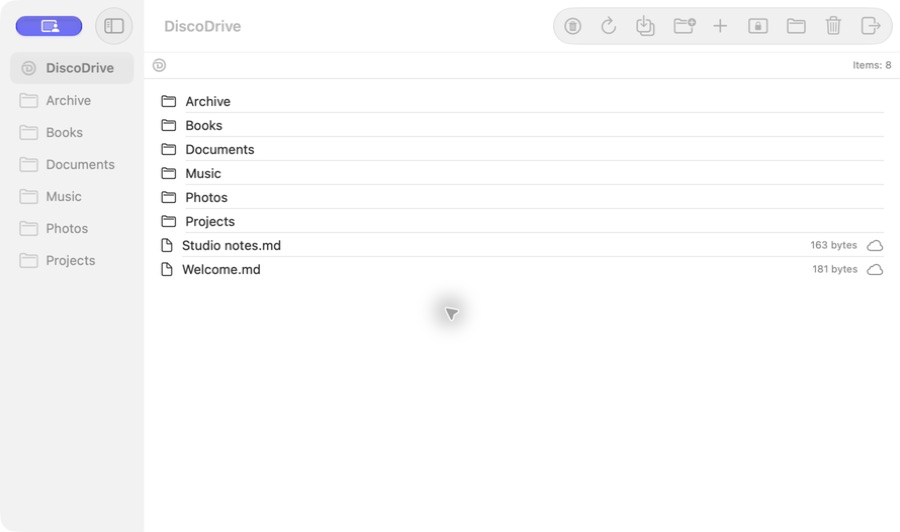
Your whole storage, vaults and sync for a chosen folder — in the apps for iOS and Android.
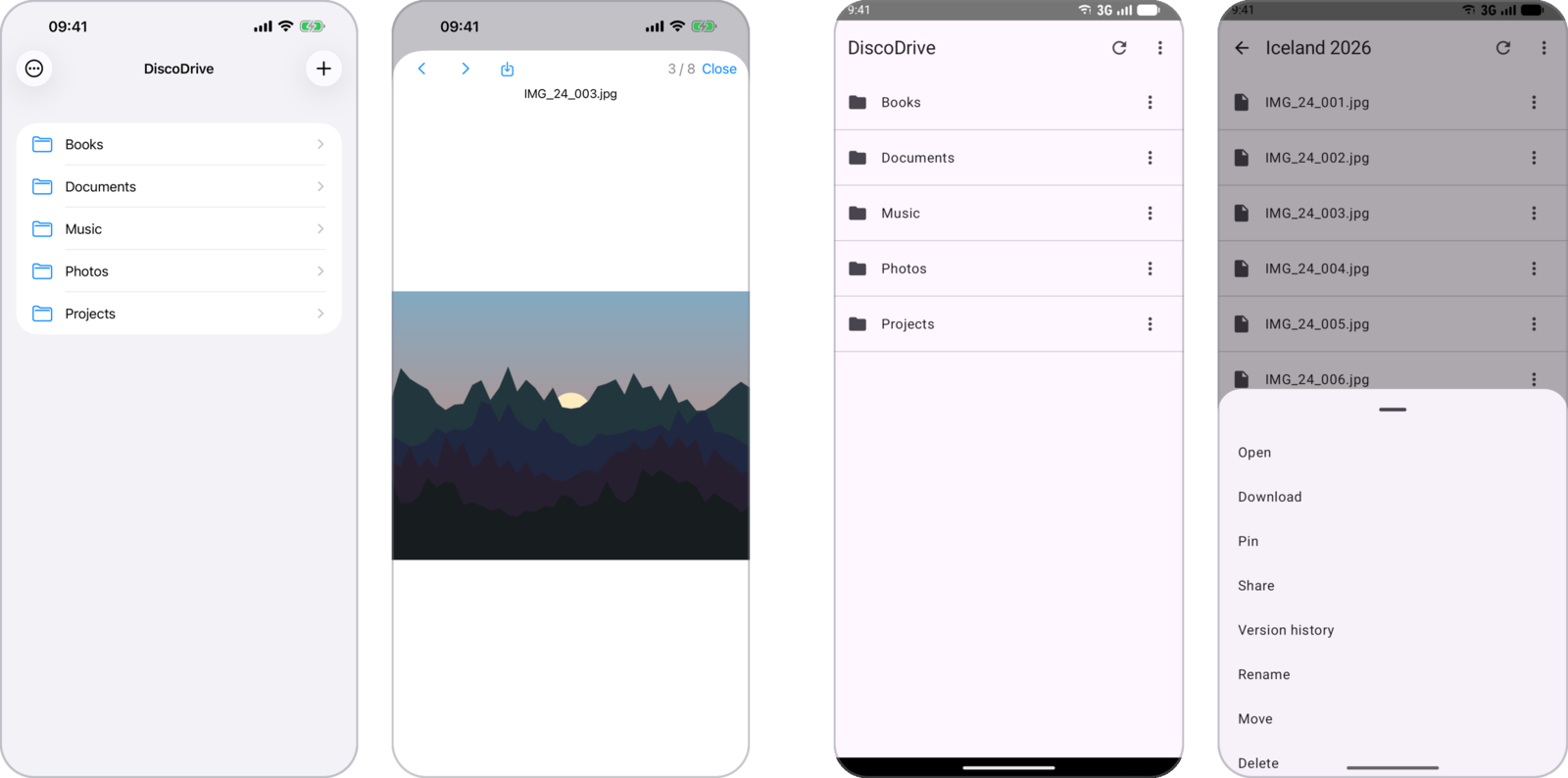
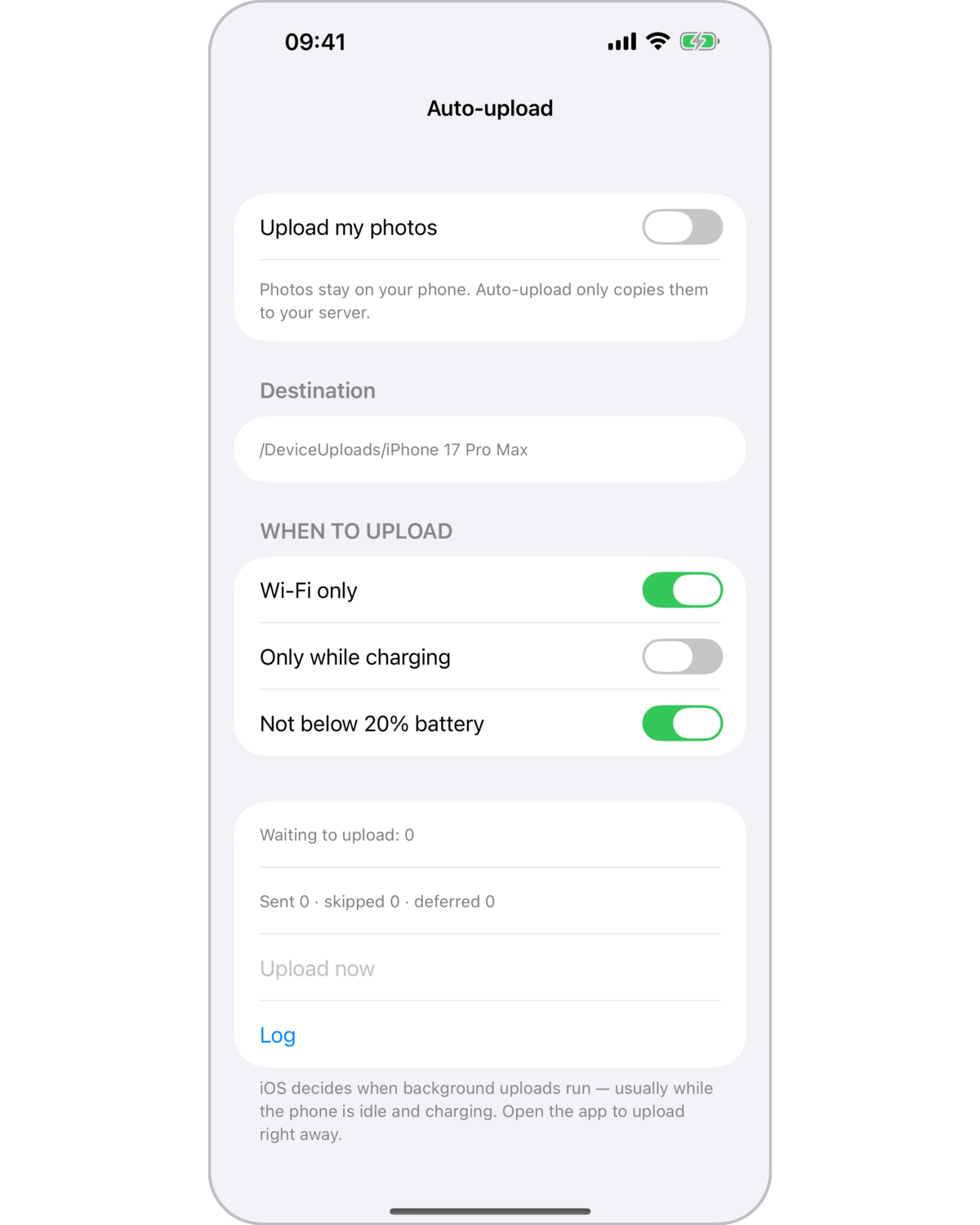
On iOS and Android, new photos go to your server, into your own folder, by themselves.
Passport scans, contracts, personal photos — that is what the vault is for. Contents and file names are encrypted on your device; the server only sees ciphertext.
The vault uses the Cryptomator format. A local copy opens in the official Cryptomator apps, even if your server is down or you no longer use DiscoDrive.
The recovery key is a 44-word phrase, the same one for DiscoDrive and Cryptomator. Decrypted files never end up in sync.
| Platform | Applications | Vault | Photo auto-upload |
|---|---|---|---|
| macOS | The desktop app and a native Mac app with Finder integration | Full | — |
| Windows | Desktop app | Full | — |
| Linux | The desktop app and a sync service for systems without a graphical interface | Full | — |
| iOS | A full client with built-in folder sync | Full | Yes, configurable |
| Android | A full client with built-in folder sync | Full | Yes, configurable |
| Browser | The web interface of the server itself | Read-only | — |